Portfolio & Reflective Essay

Designing
With Purpose.
Learning
Through Creation.

I am Javier Crespo, a web development and design student. This portfolio shows my growth this semester through my strongest visual projects, reflection, and the design lessons I learned using Adobe Photoshop and Illustrator.

Cartoon portrait created in Procreate
Procreate Cartoon Portrait
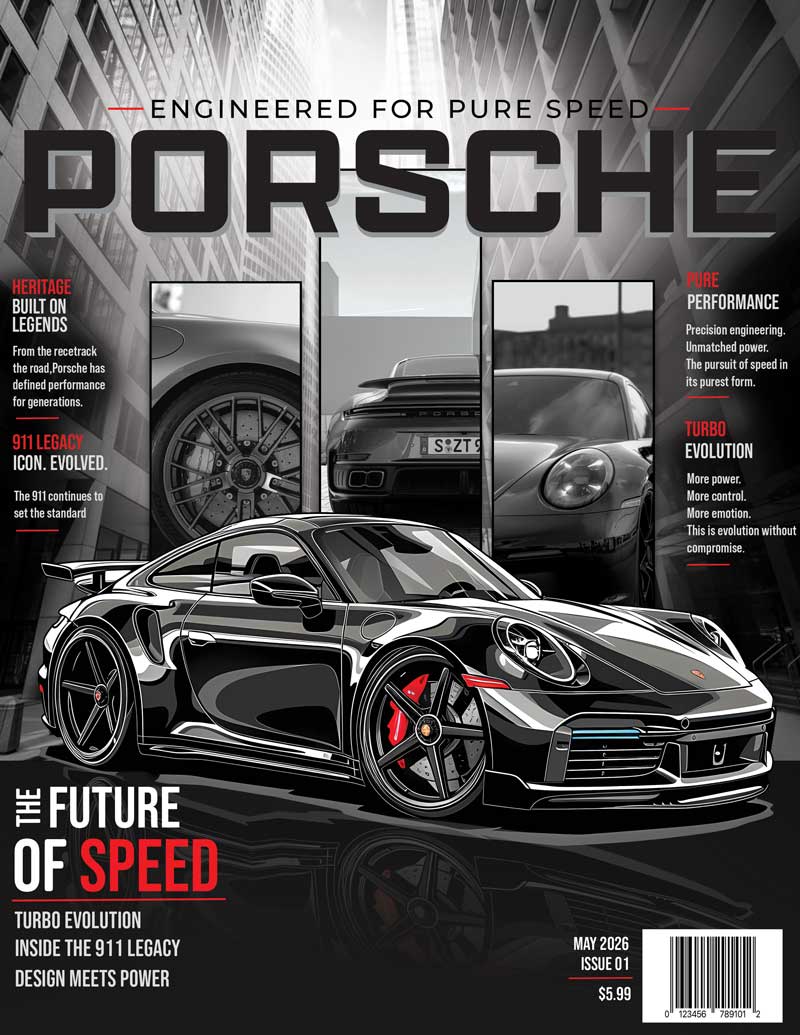
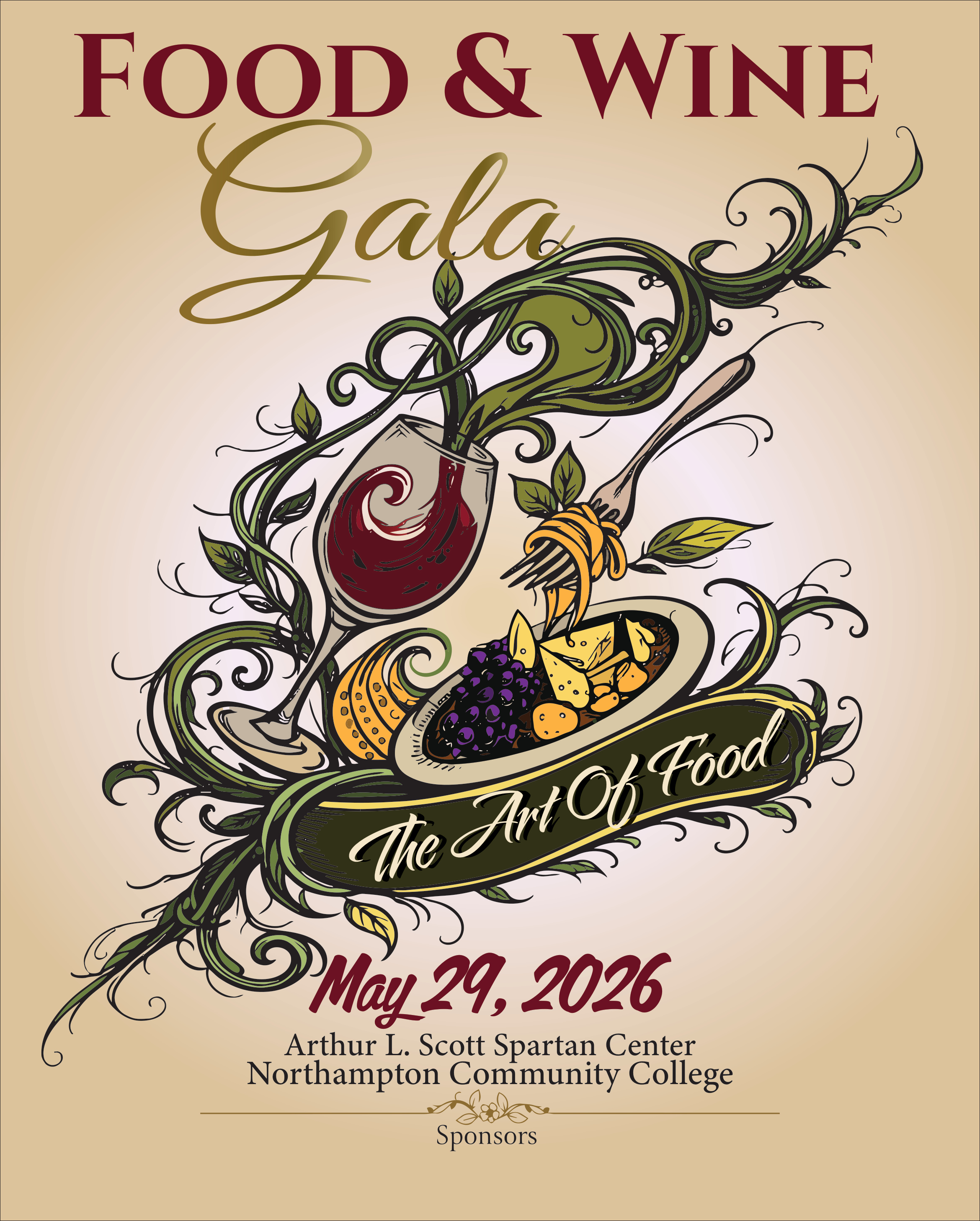
Food and Wine Gala Poster
Award-Winning Gala Poster
Dreamscape portal design
Dreamscape Portal

From experimenting to thinking like a designer

At the beginning of the semester, I was mostly focused on making designs look interesting. Now I understand that strong design needs planning, hierarchy, balance, typography, and a clear message. These projects show how I improved creatively and technically. My strongest example is my Food & Wine Gala poster because it became a special winning project and helped me see that I can create work that feels professional.

Best Work From This Semester

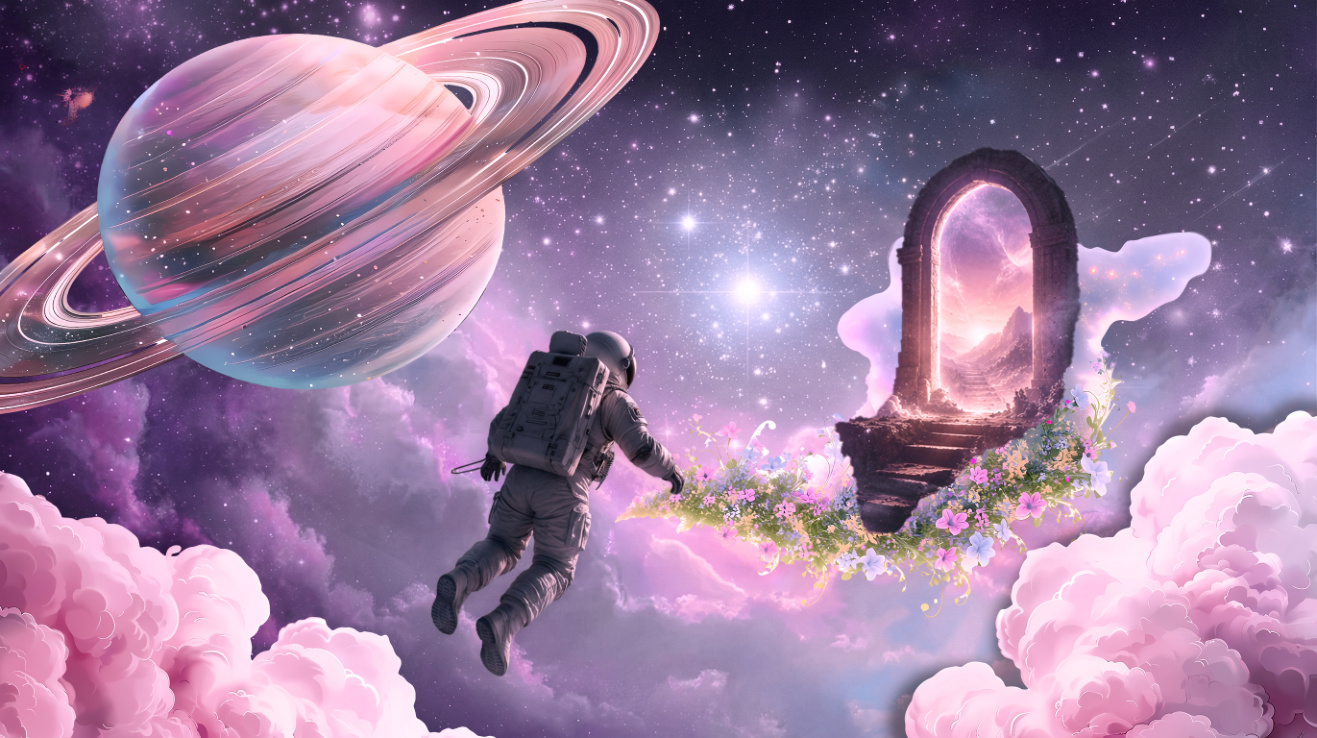
Dreamscape Portal

Dreamscape Portal

Created: 2026

Software Used: Adobe Photoshop

Tools & Techniques: Layering, masking, blending, color adjustments, lighting effects, scale, atmosphere, and surreal composition.

Project Description: The objective was to create a dreamlike digital composition. I created a surreal space scene with an astronaut floating toward a glowing portal, surrounded by clouds, flowers, stars, and a large ringed planet.

Learning / Achievement

This project helped me grow because it pushed me to think about atmosphere, depth, and storytelling. I learned that Photoshop is not only about placing images together; it is about making the whole scene feel connected. The astronaut, planet, portal, clouds, and flowers all needed to feel like they belonged in the same world. I practiced using layers and blending techniques to create a softer dreamlike look. I also learned how important lighting is. If the light does not match, the design can feel fake very quickly. The glowing portal became the visual destination, so I used it to guide the viewer’s eye and give the piece a story. This project also connects to my personal style because I love space, imagination, and futuristic scenes. It helped me realize that I enjoy creating designs that feel like another world, almost like a visual escape. That is something I want to keep developing in my work.

Self-Reflection & Critique

Describe: A surreal space dreamscape with an astronaut, Saturn-like planet, clouds, and a glowing portal. Analyze: The composition uses light and scale to create depth and movement. Judge: The strengths are the mood, color harmony, and imaginative concept. A weakness is that some areas could be blended even more smoothly so the scene feels fully unified.

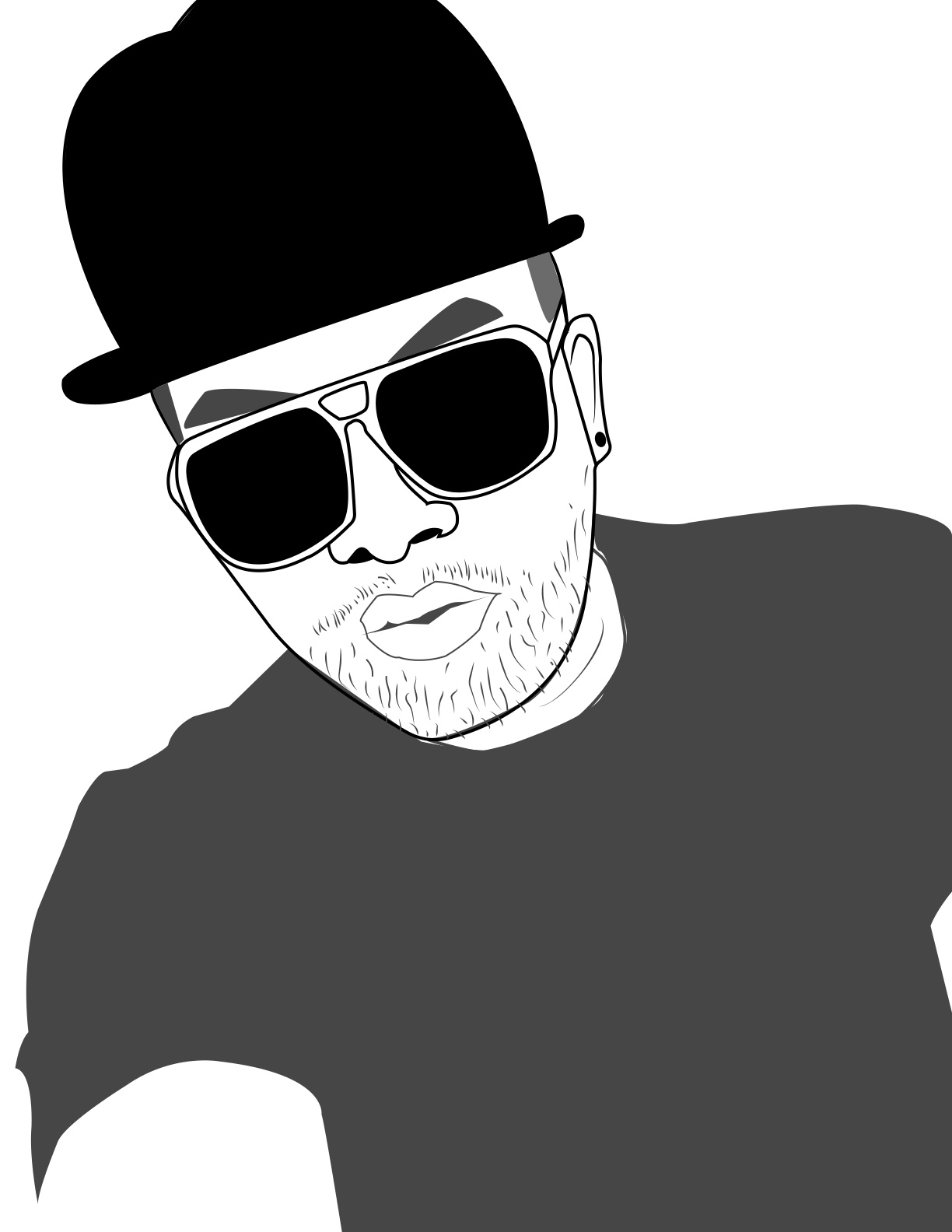
Face Vector

Face Vector Trace

Created: 2026

Software Used: Adobe Illustrator

Tools & Techniques: Image tracing, Pen Tool, shape building, strokes, fills, simplified values, line work, and vector cleanup.

Project Description: The objective was to create a clean vector portrait by simplifying a face into bold shapes and lines. I created a black, white, and gray portrait with glasses, hat, facial details, and strong graphic contrast.

Learning / Achievement

This project helped me understand how much control Illustrator gives a designer when working with shapes and clean lines. I learned that vector art is about simplifying what you see without losing the personality of the subject. Instead of trying to include every small detail, I had to choose the most important shapes: the hat, glasses, eyebrows, nose, mouth, and facial hair. That taught me how to observe better. I also learned that contrast can carry a design, especially when using a limited color palette. Working mostly in black, white, and gray made me focus on line quality and shape relationships instead of relying on many colors. This project improved my patience because tracing takes time and small corrections matter. I also became more confident using Illustrator to create something that feels personal and stylized. It showed me that clean design can still have character.

Self-Reflection & Critique

Describe: A stylized vector portrait using limited colors and bold outlines. Analyze: The strong black shapes create contrast and make the face recognizable. Judge: The strengths are the clean graphic style and personality. A weakness is that some facial areas could use more refinement or smoother curves.

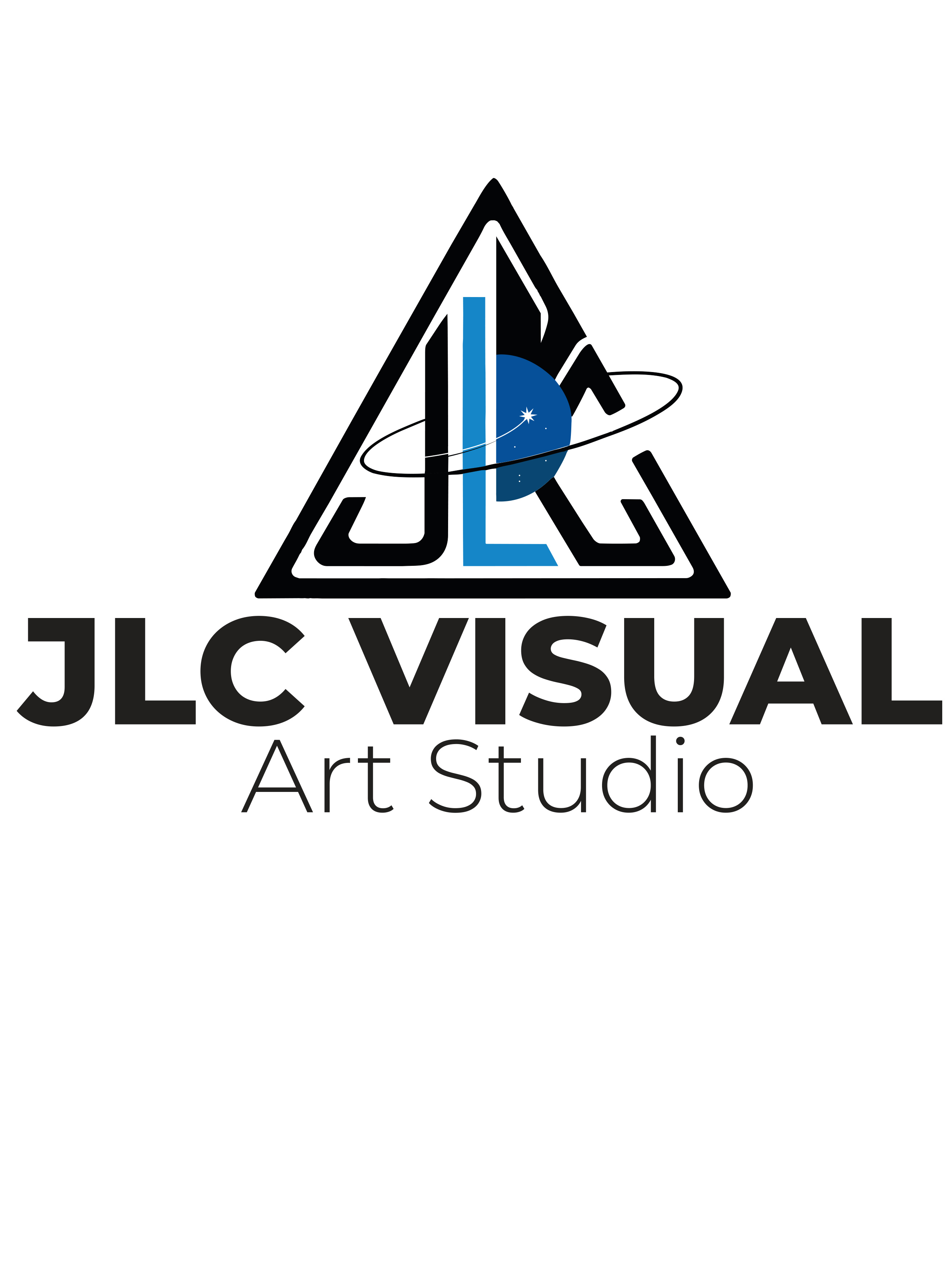
JLC Visual Art Studio logo

JLC Visual Art Studio Logo

Created: 2026

Software Used: Adobe Illustrator

Tools & Techniques: Typography, logo layout, vector shapes, alignment, brand identity, color choice, and composition.

Project Description: The objective was to create a personal logo/brand mark. I created a design for JLC Visual Art Studio that connects my initials with my creative identity as a designer.

Learning / Achievement

This project helped me think about design as identity. A logo is different from a poster or a Photoshop composition because it has to communicate quickly. It needs to be simple enough to remember but strong enough to represent a brand. While working on this piece, I thought about how my initials could become part of my creative image. I learned that spacing, alignment, and typography are extremely important in logo design because small mistakes are easier to notice. I also learned that a logo has to work as a system. It should look good large, but it should also still be readable small. This project made me think more seriously about myself as a designer, not just as a student completing assignments. Creating a personal logo helped me start building a visual identity that I can use in my portfolio and future projects. It gave me a stronger sense of ownership over my work.

Self-Reflection & Critique

Describe: A personal logo for JLC Visual Art Studio. Analyze: The design uses typography and branding to communicate identity. Judge: The strengths are the personal meaning and brand direction. A weakness is that the logo could be tested more at different sizes and maybe refined for stronger readability.

Cartoon portrait personal project

Cartoon Portrait (Personal Project)

Created: 2026

Software Used: Procreate (iPad) with Apple Pencil

Tools & Techniques: Digital painting, cartoon illustration, color blocking, custom brushes, shadows, highlights, line work, portrait styling, and layer-based editing.

Project Description: This is a personal project I created outside of class. The goal was to design a stylized cartoon version of myself using a playful and expressive digital illustration style.

Learning / Achievement

Even though this was not a class assignment, it played an important role in my growth this semester. This project helped me connect my technical skills with my personal identity. Since the portrait is based on me, it felt more meaningful than a typical assignment. I explored how color, line, and exaggeration can change the mood and personality of a portrait. Using Procreate allowed me to draw more freely, almost like traditional art, while still benefiting from digital tools like layers and undo. I also improved my understanding of shadows and highlights to create depth without losing the clean cartoon look. This project helped me realize that my personal work can still be professional and valuable for my portfolio. It gave me more confidence in my style and showed me that design is not only about assignments, but also about expressing ideas and identity.

Self-Reflection & Critique

Describe: A colorful cartoon-style self portrait created in Procreate with bold lines and expressive features. Analyze: The use of color and exaggeration gives the portrait energy and personality. Judge: The strengths are the strong personality and visual impact. A weakness is that some details could be refined further for a more polished final look.

Final Project Coming Soon

Final Class Project

Coming Soon: May 2026

Software Used: Adobe Photoshop / Illustrator

Project Description: This space is ready for my final project once it is completed this week.

Learning / Achievement

I will add the final reflection here after completing the last class project. This section is prepared so the final portfolio can be updated quickly before submission.

Digital Artist Point of View

This semester really changed how I look at design. Before this class, I was mostly focused on making things look cool or interesting. If the colors looked good and it caught attention, I thought that was enough. But now I see it’s deeper than that. Design is not just about looking good, it’s about how everything works together and what it communicates.

My point of view now is more intentional. I don’t just throw things on the screen anymore. I think about placement, spacing, and how the eye moves through the design. I like designs that feel modern and a little futuristic, but also clean and controlled. I don’t like when things feel random. I want everything to have a reason. One thing I started to pay attention to more is movement. Like in my Food & Wine poster, the vines were not just decoration, they helped guide the viewer through the design. That’s something I didn’t really think about before.

Working with Illustrator and Photoshop helped me understand things in different ways. Illustrator taught me discipline. It forced me to slow down and build things the right way using shapes, lines, and clean layouts. I learned that small mistakes actually matter a lot in design. Photoshop felt more creative and open. When I worked on my dreamscape project, I started understanding lighting, blending, and how to create a mood. It showed me that design is not only structure, it’s also feeling. I think both programs together helped me balance being creative and being precise.

One thing that really changed is how I see design outside of class. I can’t unsee things now. When I look at a website, a poster, or even something simple like a menu, I start noticing everything. I look at the fonts, the spacing, the alignment, and whether it feels balanced or not. Sometimes I see designs that look nice at first, but then I realize something feels off. Other times I see simple designs that work really well, and I understand why. It’s like my brain is always analyzing now without me trying.

I also feel like I grew a lot during this semester, not just in skills but in mindset. At the beginning, I would get stuck when something didn’t look right. I didn’t always know how to fix it. But after getting feedback and making changes, I started to understand the process more. One moment that really stood out was fixing my poster after feedback. At first I thought it was fine, but after adjusting the layout, typography, and spacing, it became way better. That showed me that design is not about getting it right the first time. It’s about improving it.

I think one of the biggest things I learned is that less can be more. Before, I would try to fill space, but now I see that space can actually help the design breathe. I also respect typography a lot more now. Fonts are not just something you pick randomly. They really change how the design feels.

Overall, I feel more confident now. I still have a lot to learn, but I can see real progress. I understand design better, I think more before I create, and I pay more attention to details. This class helped me realize that I’m not just using tools, I’m starting to think like a designer. And that’s something I want to keep building on.

🏆
1Winning Project
🎨
5+Visual Examples
2Essay Questions
🚀
Growth